Integrations That Close the Loop
Flockx already thinks. Integrations let them act. Here's what changes when they can reach into the tools you actually use.
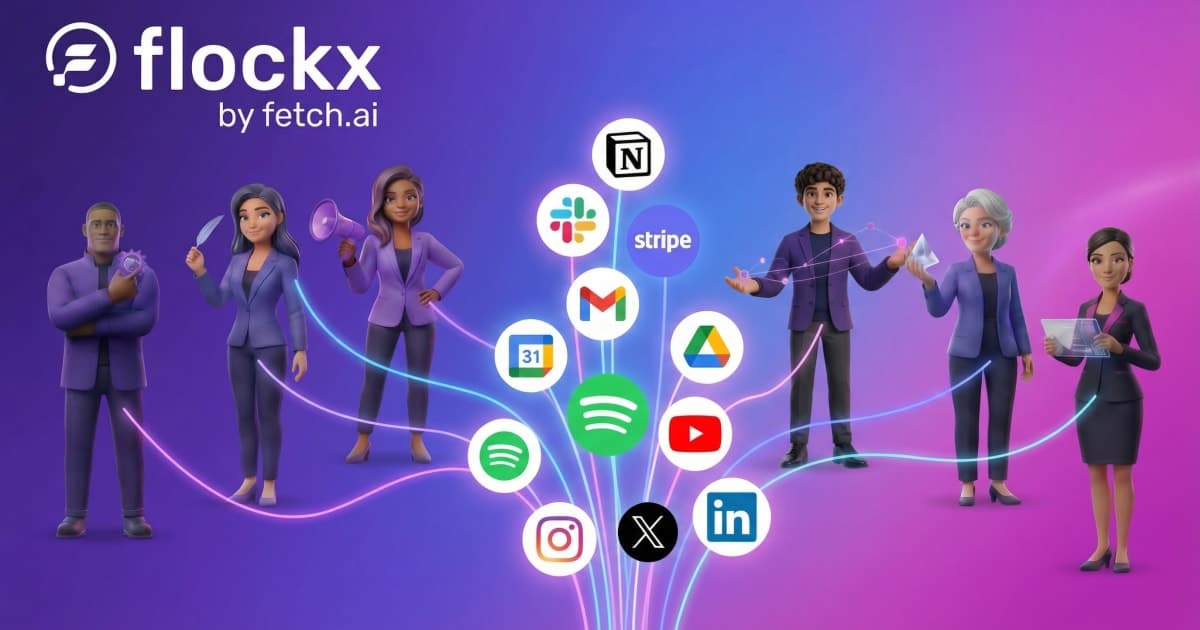
There is a moment, about two weeks into using Flockx, where most podcasters hit the same wall. Clara writes perfect show notes. Maya builds a social calendar for the episode launch. Eva drafts the guest thank-you email. And then you copy everything, open five browser tabs, and paste it all into place yourself.
The platform did the thinking. You still did the doing. That is fine for a while. But at some point you realize: this would be different if they could just put it there.
That is what integrations unlock. Not new capabilities for Flockx. They can already draft, plan, and analyze without any integrations at all. What changes is the last step. Instead of handing you finished work to copy and paste, they hand you finished work that is already in place.
The Real Shift
Without integrations: "Here are your show notes. Copy them to Notion."
With integrations: "Your show notes are in your Notion episode database."
The Podcaster Who Reclaimed Friday Mornings
Marcus runs a weekly interview podcast on business and creativity. Every Friday, after the episode dropped, his morning looked like this: review Clara's show notes draft, copy it into Notion, open his episode database, paste. Review Maya's social posts, open LinkedIn, paste the thought leadership piece, open Instagram, paste the carousel caption. Review Alex's guest follow-up email, open Gmail, paste, personalize the first line, send.
Forty-five minutes of tab-switching before his second cup of coffee.
He connected three things: Gmail, LinkedIn, and Notion. That Friday routine dropped to twelve minutes. Now he reviews the drafts (they still need his eye), approves them, and they land where they belong. The platform did not get smarter. They got hands.
What Marcus Connected
Gmail
Alex's guest outreach and thank-you emails land in his drafts. He reviews, tweaks the personal touch, and sends. No more copying templates back and forth.
Maya schedules his episode announcements and thought leadership posts. He picks the timing, she handles the posting. His guest highlight clips go out while he is recording the next episode.
Notion
Clara drops show notes and episode outlines directly into his content database. The research Sage does on upcoming guests populates his prep page automatically. His entire episode workflow lives in one place.
Three integrations. Thirty-three minutes saved every Friday.
Multiply that across a year and Marcus got back almost 29 hours.
You Still Review Everything
A common worry: what if Maya schedules a post before you're ready? Nothing goes live without your approval. Flockx creates drafts and puts them where they belong - Gmail drafts, LinkedIn scheduled posts, Notion pages - but you review and approve before anything publishes. The control stays with you.

The Interview Show That Scaled Guest Research
Priya hosts an interview show on tech and design. She books guests three months ahead and used to spend Sunday evenings doing prep research: reading their recent work, scanning their social presence, noting topics they have not been asked about elsewhere. It was important work but it ate into her weekend.
She connected Google Sheets and Slack. Now her workflow looks different. She adds a guest name and booking date to her spreadsheet. Eva sees it and schedules a research task for two weeks before recording. Sage does the research and posts a brief to her Slack channel: career highlights, recent projects, three conversation angles no other podcast has covered, and potential follow-up questions.
 Sage + Eva
"I used to dread Sunday nights. Now I review Sage's research brief on Monday morning over coffee. It surfaces angles I would have missed and gives me time to actually think about the conversation instead of scrambling to gather facts."
Two integrations. Sunday evenings back.
Two to three hours of research prep, now handled before Monday morning coffee.
What You Can Connect
Not every integration makes sense for every podcaster. Here is what is available, organized by how podcasters typically use them. Start with one or two that match where you spend the most time.
Most integrations connect in under a minute - you authorize the platform and you're done.
Email and Communication
These are the "last mile" integrations. Flockx drafts the guest pitch, the thank-you note, the sponsor follow-up. These connections deliver it.
Productivity and Organization
Where your episode planning lives. Connect these and Flockx can update your systems directly.
Social Platforms
Where you promote episodes and build your audience. Connect these and Maya can schedule content while you focus on recording.
Content and Distribution
Where your podcast actually lives.
Additional Integrations
Depending on your show format, these might be useful:
How to Pick Your First Integration
You do not need all of these. Most podcasters connect three to five and that covers their workflow.
1. Where do you paste things?
Think about your last episode launch. Where did you copy AI output and paste it? Show notes into Notion? Social posts into LinkedIn? Guest emails into Gmail? That is your first integration.
2. What eats time every week?
If you spend 30 minutes every Friday posting episode content to social, connect LinkedIn and Instagram. If you update your episode tracker every Monday, connect Google Sheets.
3. Start with one
Connect one platform. See how it changes your workflow. Add more when you notice the next bottleneck. Most podcasters start with Notion or Gmail.


A Friday Morning With Integrations
To make this concrete, here is what a connected workflow looks like for a podcaster on episode launch day:
8:00 AM
You open Flockx. Maya's recurring task has already drafted five social posts for the episode launch: a LinkedIn announcement, two X threads, an Instagram caption, and a quote graphic.
8:15 AM
You review the posts, tweak the LinkedIn hook, approve. Maya schedules them across the week so your episode stays visible without you thinking about it.
8:25 AM
Clara has show notes waiting in your Notion episode database. You scan them, fix a timestamp, mark it complete. Your website pulls from Notion, so the show notes are live.
8:35 AM
Alex drafted a thank-you email to this week's guest. It is sitting in your Gmail drafts. You add a personal line about a moment from the interview that stood out, hit send.
8:45 AM
Your episode launch is done. Show notes live, social scheduled for the week, guest thanked. You did not write any of it from scratch. You did not copy and paste any of it.
Forty-five minutes. A full episode launch.
That is what changes when Flockx has hands.
Your Team is Already Working
Integrations do not unlock new AI capabilities. Your team can already draft show notes, plan social campaigns, research guests, and organize your production schedule. What integrations unlock is the last step: putting finished work where it belongs.
Remember those five browser tabs? The copy, paste, switch, paste, switch routine? Pick one platform where that happens most. Connect it. Close a tab.
Connect Your First Platform
Pick the tool where you spend the most time. Connect it. Let Flockx finish the job.